
Your online store is growing. Orders don’t just trickle in anymore – they come in waves.
And you’re still printing A4 labels, cutting them out and taping them on.
Sound familiar? Then it’s time for a label printer.
But: which one should you choose?
You don’t want an expensive mistake. No device that creates more problems than it solves.
In this guide, we’ll walk you step by step through the key decisions, so you choose a label printer that accelerates your growth instead of slowing it down.
Quick Prafia promise: we build momentum. You just ship. 🚀
Why a label printer determines your speed
Let’s be honest: you don’t buy a label printer because it’s fun.
You buy it because you want to:
- pack and ship faster
- make fewer mistakes
- waste less time on “busywork”
With A4 labels, a lot can quietly go wrong:
- PDFs that don’t scale properly
- labels that print halfway onto another sticker
- cutting, taping and re-printing
- a printer that’s always empty when you’re in a rush
Every misprint, pause or moment of frustration is micro-friction in your day.
And as a maker/shipper, you know: friction = less focus on growth.
A good label printer gives you:
- 1 click = 1 perfect label
- No ink, no cartridges, no print queue drama
- A fixed spot in your packing station → calm & control in your workflow
Step 1: What will you use the label printer for?
Before you look at specs, ask yourself a few simple questions.
1. Which platforms do you sell on?
- Amazon
- Shopify
- Etsy
- eBay / Bol.com / other marketplaces
- Your own website
- A combination of several
Why this matters:
You want a printer that handles PDF labels easily from all these platforms. No exotic drivers – your computer should see it as a “normal printer”, so every platform can work with it.
2. How many parcels do you ship per week?
Rough guideline:
- 0–20 parcels per week → first step from A4 to a label printer
- 20–100 parcels per week → label printer becomes your daily workhorse
- 100+ per week → speed & reliability are critical
The more you ship, the more important this becomes:
- consistent print speed
- smooth label feeding (no double-feeds)
- solid build quality
3. Which devices do you work from?
- Only laptop / desktop
- Sometimes from a tablet
- Mostly from your smartphone
If you work a lot on mobile, you’ll want either:
- a smooth way to send PDFs from your phone to your computer, or
- a label printer that (via a tool or integration) can handle mobile workflows too
The point is: you shouldn’t have to rebuild your workflow.
The printer should fit into your existing process – not the other way around.
Step 2: Understand the difference – thermal vs inkjet/laser
When we talk about label printers, we almost always mean: thermal label printers.
What is thermal printing?
In short:
- No ink
- No toner
- No cartridges
- The printer uses heat on special thermal label material
Benefits:
- Low cost per label
- Consistent print quality
- No dried-out cartridges to worry about
For shipping labels, thermal printing is the standard.
Inkjet or laser printers are fine for A4 sheets, but for fast and scalable label printing, thermal is the logical choice.
Step 3: Choose the right label size (4x6 is your best friend)
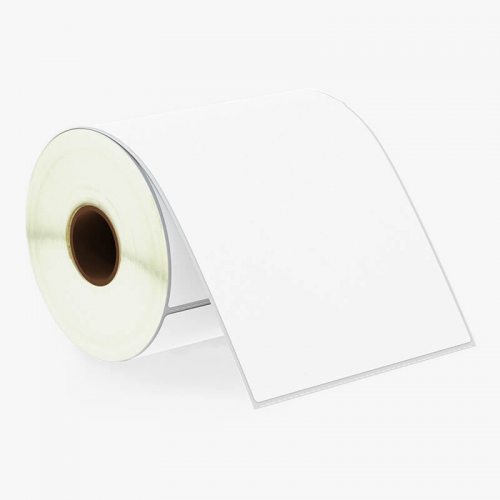
Most carriers (DHL, UPS, DPD, etc.) and platforms (Shopify, Etsy, Amazon, Bol.com) use:
4x6 inch / 100x150mm
That’s the standard size for shipping labels.
A good label printer is:
- 100% built around this format
- Easy to use with rolls or fanfold labels
- Set up so you don’t have to fiddle with margins every single time
Ask yourself:
- Will I mainly print shipping labels?
→ Then a 4x6 / 100x150mm printer is perfect. - Do I also want small product labels or price stickers?
→ Then a printer with adjustable width can be useful (but check if you really need both – focus keeps your setup simple).
For most growing online stores, a dedicated 4x6 label printer is the best choice: focused, fast and reliable.
Step 4: Must-haves of a modern label printer
These are the things you don’t want to compromise on:
1. Thermal technology (no ink drama)
- No buying cartridges
- No cleaning print heads
- No hassle if you don’t print for a few days
2. Plug & play installation
- Works on Windows & Mac
- Clear installation guide
- No weird, bloated software that takes over everything
A good printer should feel like:
Plug in the cable, install driver, set as default printer → done.
3. Speed & reliability
You don’t need to memorise all the technical specs, but look for:
- Can it print a stack of labels smoothly, back-to-back?
- Does it consistently feed 1 label at a time?
- Does it still perform well when you print 50+ labels per day?
4. Clear calibration & sensors
This one is huge for calm & control:
- Does the printer automatically detect where each label starts and ends?
- Can it easily recalibrate when you put in a new roll?
If that’s simple, you’ll have fewer misprints and less irritation.
Step 5: Nice-to-haves when you want to scale
Once you’ve got the basics in place, you can look at extras that make life even easier.
1. Support for different label types
- Rolls: compact, convenient, ideal for continuous printing
- Fanfold (stacked): stable behind or next to your printer, great for higher volumes
A good label printer can handle both.
2. Future integrations & tools
Maybe you only use one platform now, but later you might:
- switch to a dedicated shipping platform
- expand into other countries
- work with multiple carriers
Choose a printer that doesn’t feel “locked-in”, but flexible.
That’s why at Prafia we build around existing systems and workflows – not around closed, proprietary software that boxes you in.
Step 6: Does the printer fit your packing station?
A label printer isn’t a gadget. It’s part of your shipping line.
Look at:
- Footprint: does it fit neatly on or next to your desk or packing table?
- Connection: USB (standard), optionally expandable with extra solutions later
- Stability: does it stay in place when you pull labels out?
You want a setup where you:
- Open orders on your screen
- Pick products
- Prepare the box
- Print the label
- Seal the package
- Apply the label → next
Without having to change rooms, tables, or printers every few minutes.
How we approach this at Prafia
At Prafia, we developed the Prafia Pro with exactly this reality in mind:
- Built for e-commerce & retail
- Optimised for 4x6 / 100x150mm shipping labels
- Works with the most commonly used platforms & tools
- Thermal – so: no ink, no cartridges
Just as important:
We don’t just look at the device. We look at the entire workflow of makers, shippers and doers:
- How fast can you move from “order received” to “package ready”?
- How many steps can we remove?
- Where can we cut frustration and create flow?
Because that’s the real reason you buy a label printer:
not to have another gadget on your desk,
but to free up your time for growth.
Checklist: are you ready for your first label printer?
If you can answer “yes” to 3 or more of these, it’s probably time to make the move.
- ✅ I ship more than 10–15 parcels per week
- ✅ I regularly lose time cutting and taping labels
- ✅ My current printer frustrates me more often than I’d like
- ✅ I want to set up my packing area as a serious “mini warehouse”
- ✅ I see my store as something that will keep growing
If that sounds like you, then a good label printer isn’t a luxury – it’s the logical next step.
Ready to professionalise your shipping flow?
You don’t need to be a tech nerd to work smart.
You just need tools that don’t get in your way.
With the Prafia Pro, you get:
- a fast thermal label printer
- built around the 4x6 / 100x150mm format
- with clear guides and human, no-nonsense support
So you can spend less time wrestling with printers, and more time on your brand, your customers and your growth.
👉 Next step:
Discover how the Prafia Pro fits into your workflow and turn shipping into a smooth routine instead of a daily battle.
View the Prafia Pro – and keep building your momentum.